
CATEGORY REFERENCE

wd hoki Mobile App for Slots & Live Casino

Download our Android or iOS app and carry the full casino lobby in your pocket.

Android & iOSAPK 28MBPush alertsFingerprint loginOffline preview
wd hoki wd hoki Mobile App for Slots & Live Casino
wd hoki App-First Design for Mobile Play

App-First Design for Mobile Play

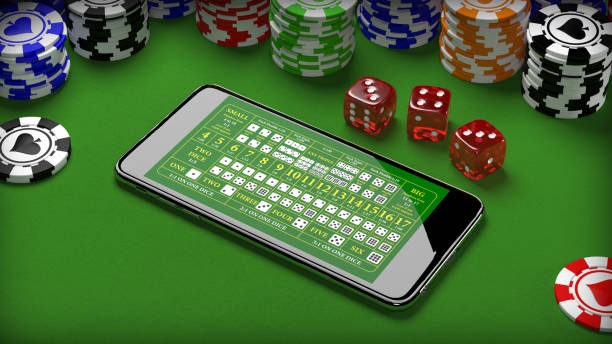
Our mobile app lets you jump into live tables, slot rooms and the sportsbook without waiting for browser load. Notifications alert you to live games starting, betslip movements and account activity in real time. Biometric login means you're in your account in one tap. Quick-deposit shortcuts sit right on your home screen, and a dark-mode toggle keeps late-night play easy on your

eyes. The lobby stays accessible even when your signal dips.

PLATFORM SNAPSHOT

What the App Gives You

One-Tap Login Fingerprint or face unlock puts you in your account instantly...
Real-Time Alerts Push notifications tell you when live tables fill, sportsbook odds...
Dark Mode Eye-friendly interface for evening play. Toggle between light and dark...
Quick Deposit Row DANA, OVO, GoPay and QRIS shortcuts sit at the top...
Offline Lobby Preview Browse game tiles and your favourite slots even when your...
Betslip on Screen Track live bets, odds changes and settlement right from your...
wd hoki Install the App in 3 Steps

Install the App in 3 Steps

Getting wd hoki on your phone takes under two minutes. Download the APK or grab it from your device's app store, allow unknown-source installation if needed, then open and sign in with your account credentials.

  • Download APK or Find in Store
  • Allow Installation
  • Open and Sign In

Device & System Requirements

Auto-refresh hourly
wd hoki Android

Android

92%

Version 8.0 or higher. Minimum 2GB RAM, 28MB free storage. Runs on most phones from 2018...

wd hoki iOS

iOS

97%

iOS 12.0 or higher. Works on iPhone 6S and newer. Requires 30MB free space in your...

wd hoki RAM & Storage

RAM & Storage

96%

2GB RAM minimum for smooth slot and live-table performance. 28–30MB installation size leaves room on mid-range...

wd hoki Regional Availability

Regional Availability

95%

Available in supported Indonesian regions. Check your local regulations before downloading.

wd hoki Internet

Internet

94%

4G recommended for live tables and sportsbook. 3G acceptable for slots and account management.

RTP percentages are informational reference values from provider documentation. Actual session outcomes vary.

ON THE GO

Tour the App Experience

From the moment you open wd hoki, the app shows you live tables filling up, slot games trending this hour, and sportsbook markets moving. Tap any room and you're in...

Live lobby preview
Quick-access betslip
Account balance display
Slot favourites row
Sportsbook quick-view
Settings & support hub
wd hoki mobile gaming
Google Play App Store
HELP CHANNELS

Help When You Need It

Team online

In-App Support Chat

Open the help bubble inside the app. Our team responds to app-specific questions during support hours.

Email Support

Reach our technical team at [email protected] with install, login or app-performance issues.

Install & Troubleshoot Guide

Find step-by-step help for Android setup, iOS permissions, and common app errors in your account settings.

WHY VISITORS TRUST US

Why You Can Trust This App

Code-Signed Build

Our APK carries cryptographic signing that verifies it came directly from wd hoki and hasn't been altered.

No Third-Party Stores

Download only from Google Play, Apple App Store, or our official lobby. We never publish on unauthorized app markets.

Account Recovery

Lost your phone? Your account remains secure. Log in from any device using email and password; your balance is untouched.

Encrypted Connection

The app uses SSL encryption for all login, deposit and account data. Your credentials never travel unprotected.

Regular Security Updates

We patch vulnerabilities and push updates through app stores. Enable auto-update in your phone settings.

Privacy Controls

Toggle fingerprint login, clear cache, and manage app permissions from the settings menu inside the app.

App vs. Mobile Browser

Load Speed
App boots in seconds; browser waits for page rendering. The app stays cached on your phone for instant reopens.
Push Notifications
App sends live alerts about table fills and account activity. Browser cannot send notifications when closed.
Fingerprint Login
App stores your biometric unlock. Browser requires password entry every session for security.
Offline Access
App shows you lobby tiles and past betslips even without signal. Browser is blank without internet.
Home Screen Shortcuts
App lets you pin DANA, OVO, GoPay and QRIS deposit buttons to your home screen. Browser offers no shortcuts.
Battery Efficiency
App is optimized for low-power use. Browser can drain battery faster during long live-table sessions.
PLATFORM SNAPSHOT

App Standout Features

01
Live Table Streaming Watch dealers and table tiles stream smoothly in HD. The app's codec handles choppy networks better than browsers.
02
Instant DANA Deposits Hit the DANA shortcut and fund in seconds from the lock screen. No browser login needed; app remembers your preference.
03
Slot Spin Speed Slot spins resolve faster on the app than mobile web. Less lag means smoother play and quicker settlement confirmation.
04
OVO & GoPay Integration Both e-wallets connect via deeplink in the app. Confirm payment with one tap and return instantly to your lobby.
05
Account Notifications Get pinged when your bonus is granted, when a withdrawal clears, or when a live game you love is about to start.
06
QRIS Quick Scan Point your phone at a QRIS code in the deposit menu. The app auto-fills the amount and confirms your QRIS account instantly.

Mobile App Questions Answered

No. The app is optimized for low power draw. Live tables run in light-streaming mode and auto-pause video when you switch apps. Enable Battery Saver in your phone settings for even longer sessions.

Yes. Your wd hoki account is the same everywhere. Log in on the app with your email and password, and your balance, bets and settings sync instantly. Switch between devices freely.

Completely. Download only from Google Play, Apple App Store, or our official lobby link. The app carries a security signature and uses SSL encryption for all account data.

Your bet was sent to our server before the connection dropped. Reconnect and the app will sync your bet status. You can also check your betslip history in the offline preview while you reconnect.

Yes. All four payment rails have one-tap shortcuts in the app. Tap DANA or OVO and you're sent to their payment screen; GoPay and QRIS work similarly. Your payment preference is remembered for next time.

Log into wd hoki from any device using your email and password. Your account, balance and bets are safe. Download the app on your new phone and use the same credentials. No data is lost.

The app requires Android 8.0 or iOS 12.0 and 2GB RAM minimum. Most phones from 2018 onwards meet these specs. Check your device settings to confirm compatibility before downloading.